

How to Setup Greeter/Group Invite with Your Bot
Every LifeBots bot (Lite & Full) includes the Greeter Addon. With this addon, your bot can:
- Greet nearby users in Local Chat or IM (or both).
- Send Group Invites.
- Offer an Object or Landmark.
This makes your bot perfect for welcoming visitors and encouraging group membership.
1. Enable the Greeter Addon
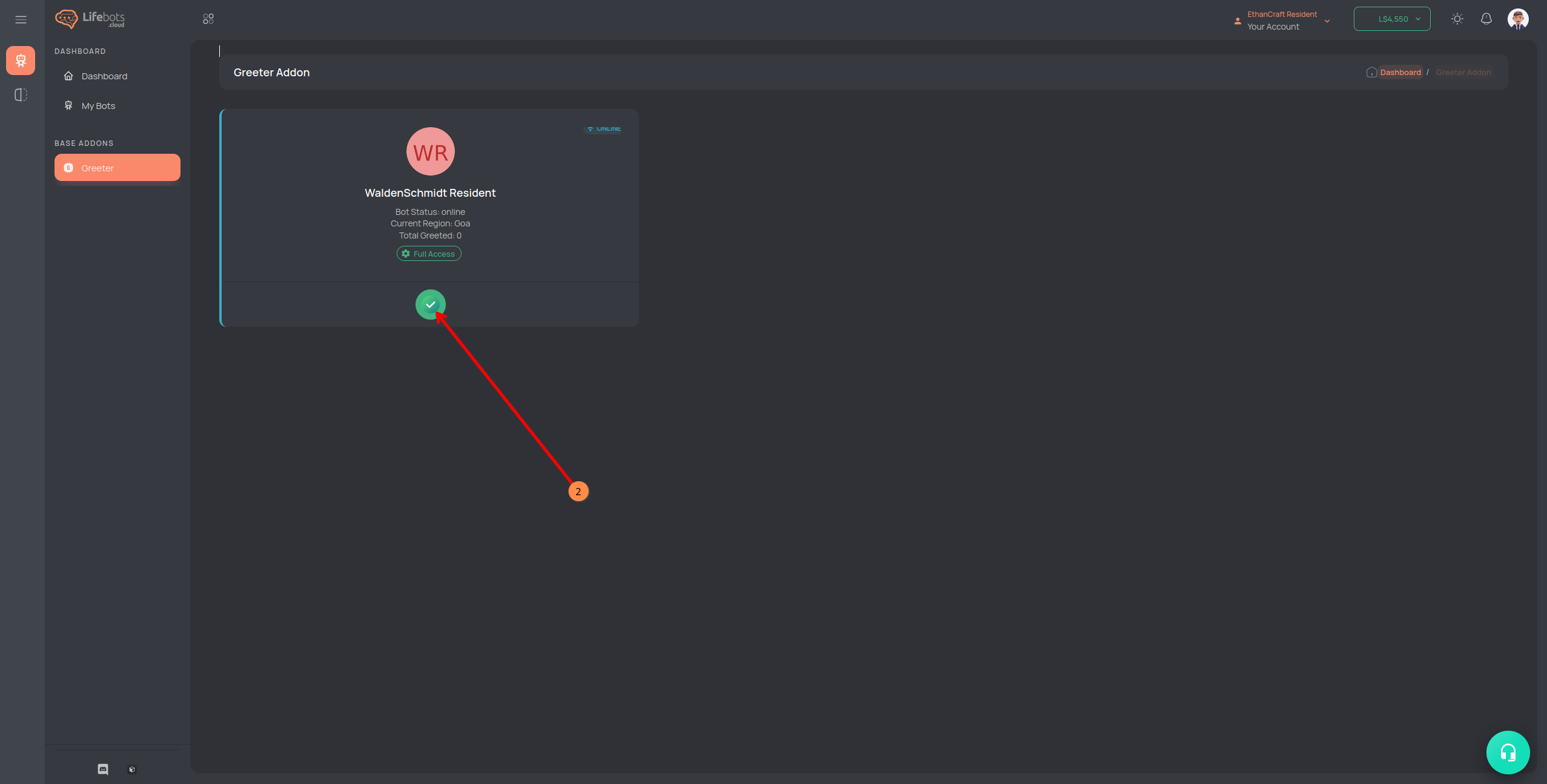
- On the left menu, click Greeter.
- Click the Green Checkmark (Enable) button.
2. Basic Settings
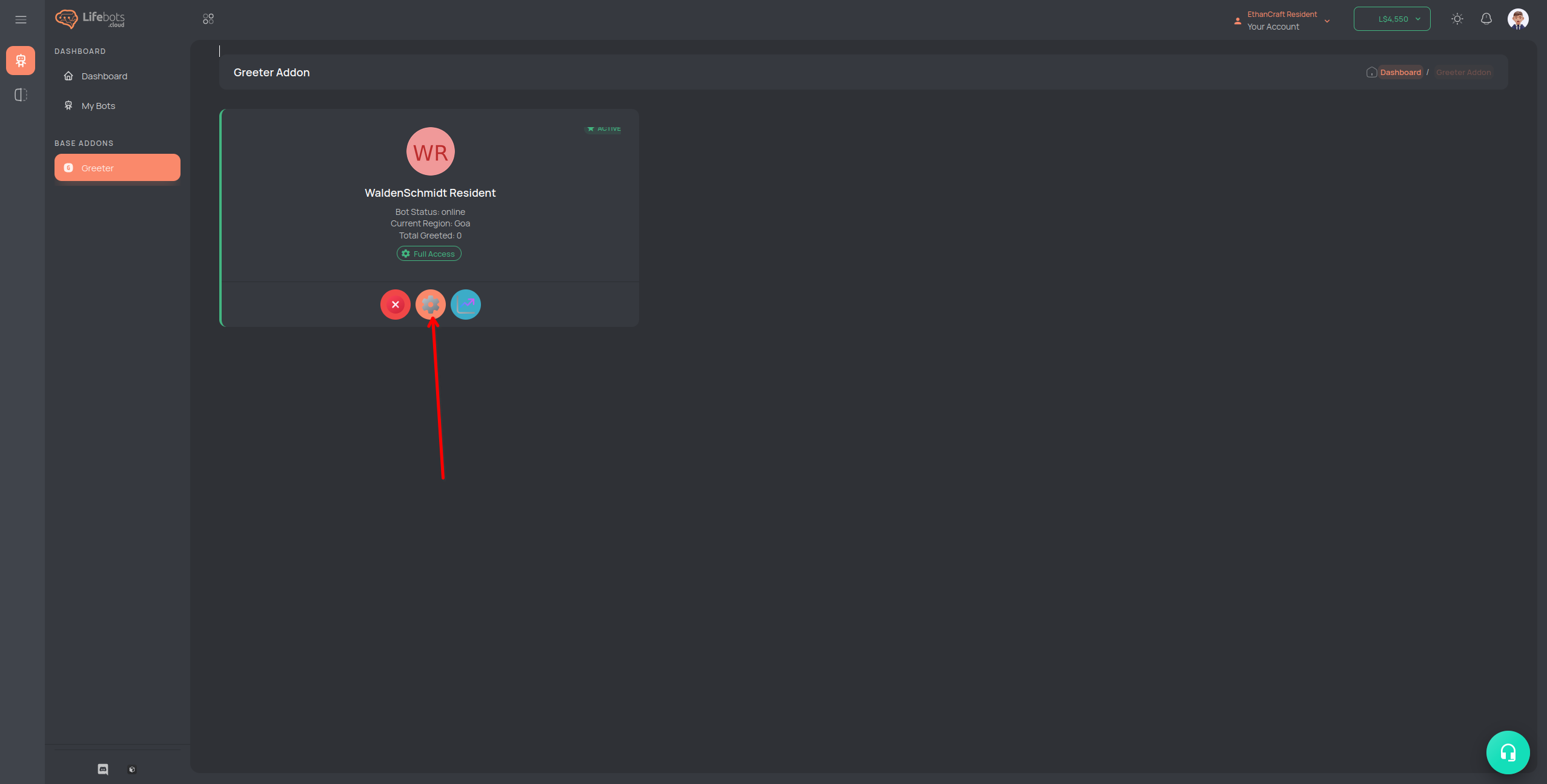
- Click the Cog Wheel (Settings) button to open configuration.
Inside the Greeter settings page, configure:
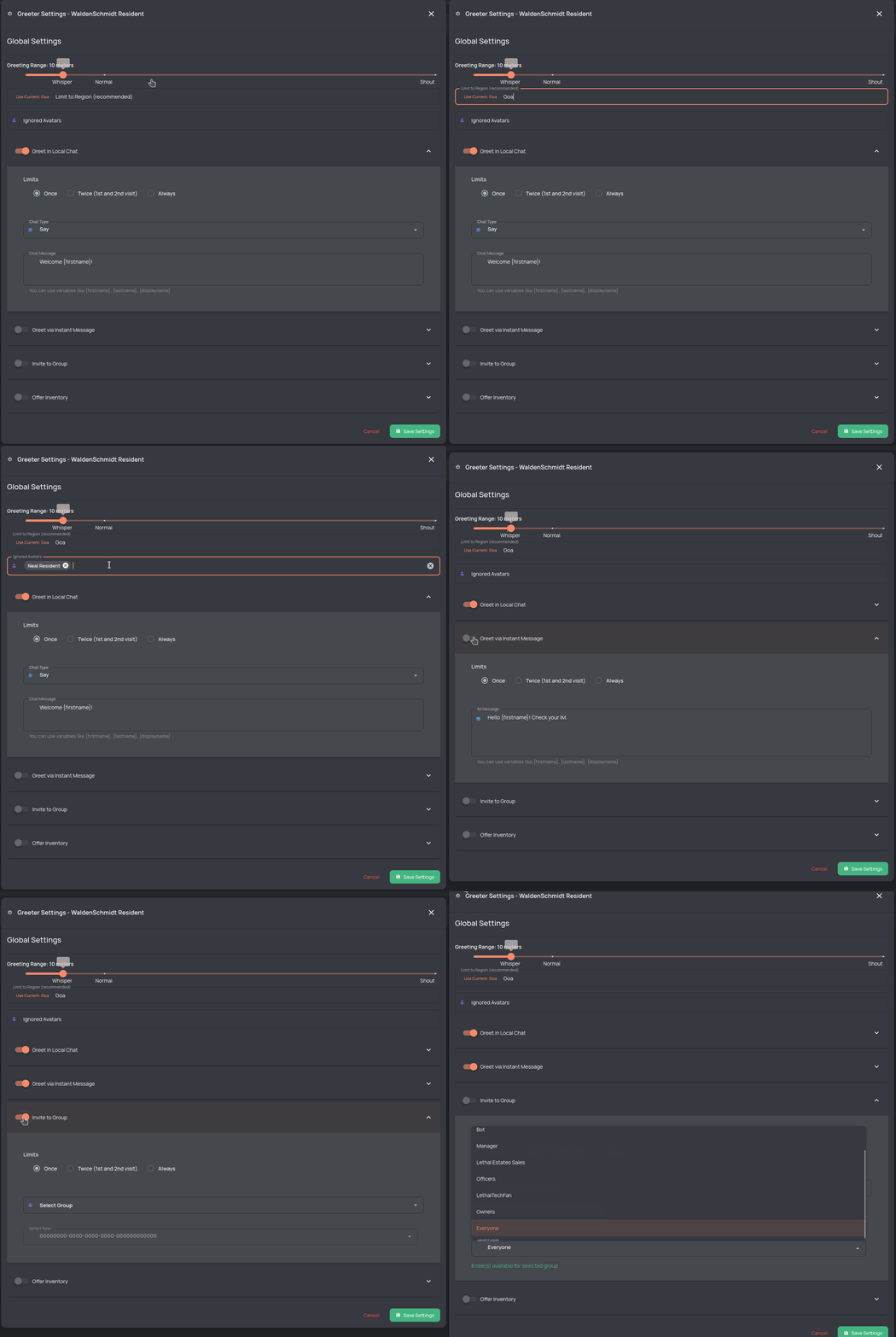
- Greeter Range – distance at which the bot will greet/invite users.
- Limit to Region – restrict greeter to a specific region only.
- Ignored Avatars – add usernames that the bot should not greet.
3. Greeting Options
Expand each block to customize:
Greet in Local Chat
- Options: Greet Once, Twice, or Always.
Greet in IM
- Same options as Local Chat.
4. Group Invite
- Set how often invites are sent (Once, Twice, Always).
- Select the group and role for invitations.
5. Offer Inventory
- Choose frequency (Once, Twice, Always).
- Select the object or landmark to send on greet.
⚠️ Important: To select an object, you must send the object to the bot while it is online in the LifeBots system.
6. Save & Finish
- Click Save Settings.
- Restart the bot if needed.
Your bot’s greeter is now active! 🎉
✅ Done! The bot will now greet users, send group invites, and share inventory items according to your settings.