How to Fix My Bot’s Hover Height?
If your bot’s hover height looks incorrect when logging in through LifeBots, there are two ways to fix it. Use the slider on the website for a quick adjustment, and save the height into the avatar’s shape when you want it to apply every time.
Why this happens
Hover height adjusted through a Viewer’s quick “hover tool” only works in that Viewer session. It does not carry over to your bot when using LifeBots (similar to built-in AOs).
1. Adjust it from the LifeBots website
You can now correct the height without logging the bot into a Viewer at all.
- Go to the Dashboard.
- Click your bot.
- On the Manage Bot page, click Hover Height.
- Drag the Vertical Offset slider. The range is -3.000m to +3.000m.
- Release the slider. The new height is applied to the bot straight away and the dialog shows Applied.
- Click Done to close.
🔹 Important: The bot must be online. If it is offline the Hover Height tile is greyed out and the dialog reports “Bot is offline. The bot must be online for hover height changes to take effect.” Bring the bot online first, then reload the page.
🔹 If you overshoot, click Reset to 0.00m to put the bot back to its default height.
🔹 You need control permission on the bot. Sub accounts without it will not see the tile.
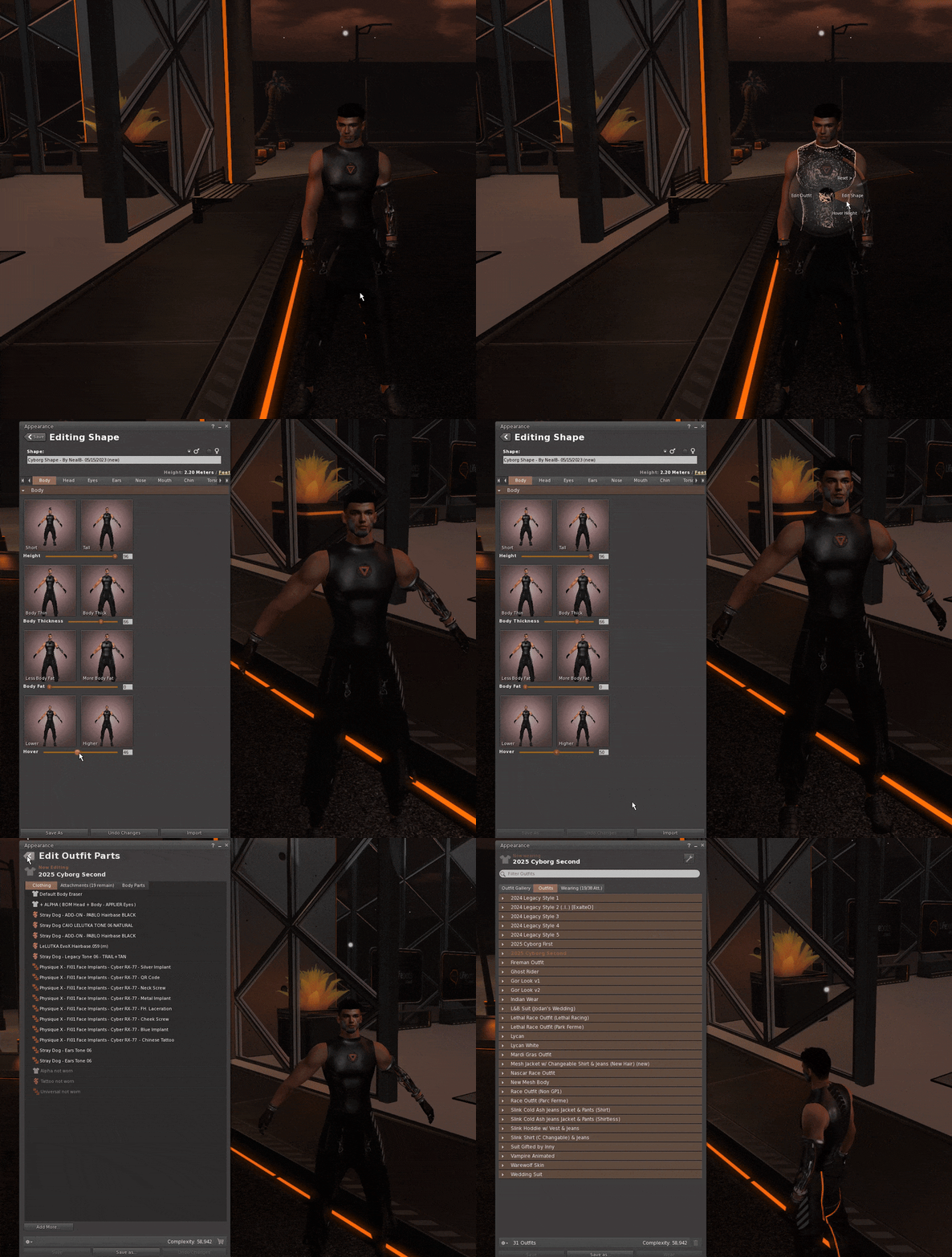
2. Save the height into the shape (applies on every login)
To make the height part of the avatar itself, so it is correct no matter how the bot logs in:
- Log your bot into Second Life using any 3D Viewer.
- Right-click the avatar → select Appearance → Edit Shape.
- Go to the Body tab.
- Scroll down to the last slider (this is the actual hover height control).
- Adjust as needed and save your shape.
This saves hover height directly to the avatar’s shape, ensuring it works with LifeBots or any other login method.
Which one should I use?
| Website slider | Edit Shape | |
|---|---|---|
| Bot needs to be online | Yes | Yes, in a Viewer |
| Needs a 3D Viewer | No | Yes |
| Speed | Instant | Slower |
| Best for | Quick corrections and fine tuning | Setting the bot’s permanent height |
Watch the tutorial video
For a step-by-step walkthrough of the Edit Shape method, watch our video guide here: